Lighting Efficiency · Updated May 2026 · 12 min read · EcoHome Intelligence
Motion Sensor Light Switch vs. Smart Bulbs: What Actually Saves More Money?
You come home. Walk down the hallway. Lights are on. Nobody is there. They have been on for 4 hours. This happens every day, in every room with a light switch and human forgetfulness. Motion sensors and smart bulbs both solve this. We calculated the exact savings per room so you can choose the right solution for your home.
In This Guide
How Much Light Waste Costs You
Lighting accounts for 5-10% of the average home's electricity bill. But that is for useful lighting. Wasted lighting — lights left on in empty rooms — adds another 30-50% on top.
Here is a typical weekday pattern:
- Hallway: Left on for 6 hours while nobody is there = $18/year
- Bathroom (2): Left on for 4 hours each per day = $24/year combined
- Closets (3): Left on for 3 hours each per day = $18/year combined
- Garage: Left on for 8 hours per day = $22/year
- Outdoor security light: On all day (dusk sensor broken) = $45/year
Total waste: $80-$130/year. All from lights that were on when nobody needed them.
Motion Sensor Light Switches: Pros, Cons, and Cost
A motion sensor light switch replaces your existing wall switch. It detects movement with a passive infrared (PIR) sensor and turns the light on when you enter the room. After a set time (5-30 minutes, adjustable), it turns the light back off.
How It Works
- You walk into the hallway. The PIR sensor detects movement. Light turns on.
- You leave. No movement for 2 minutes. Light turns off.
- You walk back in. Light turns on again. Repeat.
- Override mode: turn the switch off then back on within 3 seconds to keep it on permanently.
Cost and Payback
- Cost per switch: $15-$25
- Installation: DIY (10 minutes and a screwdriver) or electrician ($50-$100 for single visit)
- Annual savings per room: $10-$20 (assuming 3-5 hours/day of avoided waste)
- Payback time: 12-18 months
- Lifespan: 10-15 years
Pros
- Works with any light fixture or bulb (LED, CFL, incandescent)
- No app, no Wi-Fi, no setup complexity — install and forget
- No ongoing cost or subscription
- Guests and kids understand wall switches
- Can add vacancy mode (must manually turn on, auto-turns-off)
Cons
- Requires a neutral wire (not available in all older homes)
- No dimming, color control, or scheduling
- PIR sensors have a blind spot (directly below the switch) and can miss slow movement
- Cannot integrate with other smart devices
Top Pick
Lutron Maestro MS-OPS2 — The most reliable motion sensor switch on the market.
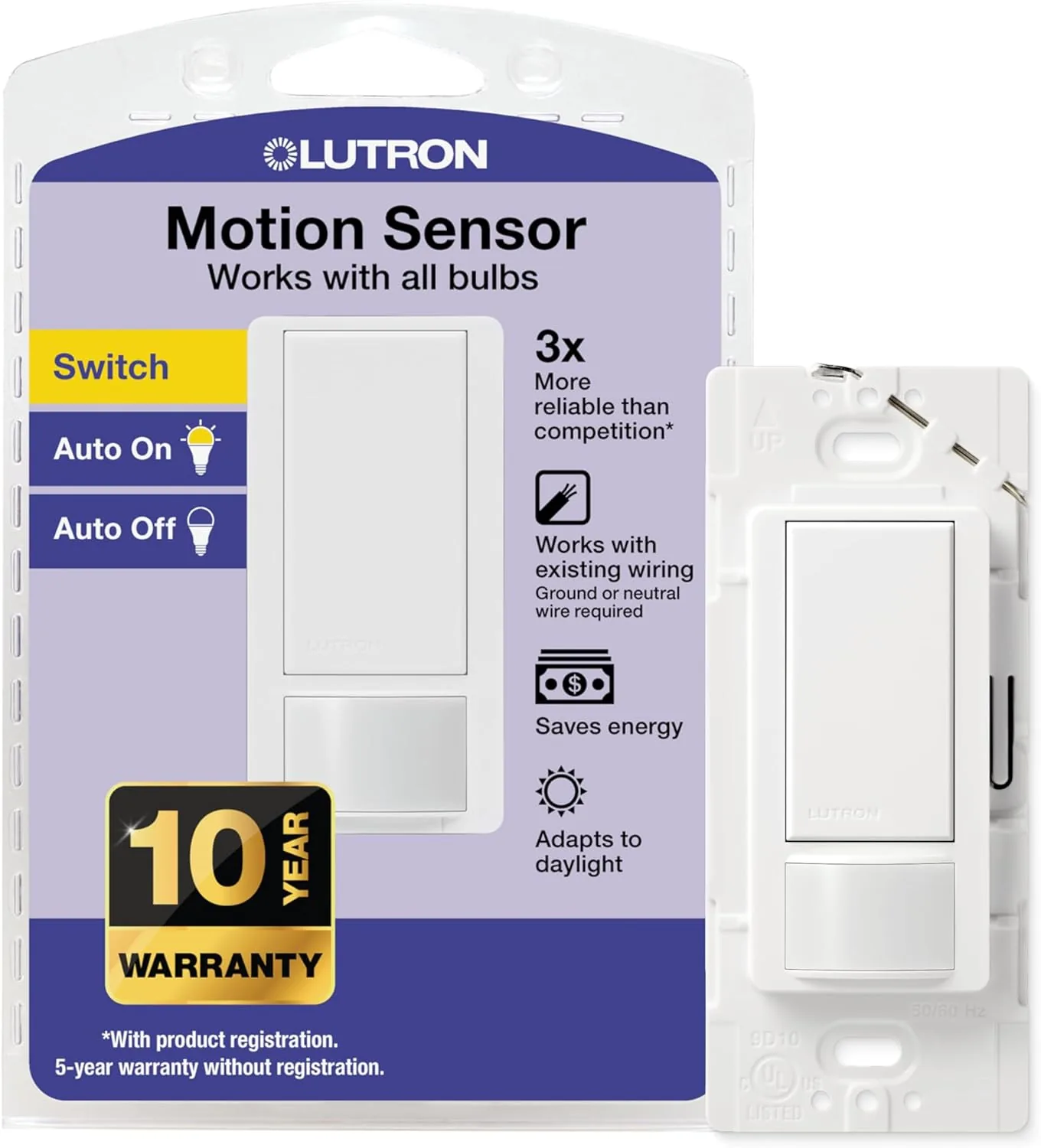
Lutron Maestro MS-OPS2 Motion Sensor Switch
No neutral required · Vacancy/occupancy modes · 1-30 min timeout
View on Amazon →Smart Bulbs: Pros, Cons, and Cost
Smart bulbs are LED bulbs with built-in Wi-Fi, Bluetooth, or Zigbee. They connect to an app for remote control, scheduling, dimming, and voice assistant integration.
Cost and Payback
- Cost per bulb: $8-$25 (Philips Hue is $15-$25; budget brands are $8-$15)
- Hub: $0-$50 (Philips Hue Bridge required for full features; Wi-Fi bulbs like Kasa need no hub)
- Annual savings per bulb: $5-$15 (assuming scheduling and occupancy-based dimming)
- Payback time: 18-36 months
- Lifespan: 15,000-25,000 hours (~7-10 years at 6 hours/day)
Pros
- Scheduling ( sunrise/sunset, vacation mode, bedtime dimming)
- Dimming and color temperature control without installing a dimmer switch
- Motion detection via smart home hub or standalone motion sensor
- Voice control ("Hey Google, turn off the hallway lights")
- Energy monitoring on some models
Cons
- Higher upfront cost per fixture
- Requires Wi-Fi or smart home ecosystem (Alexa, Google Home)
- If the wall switch is turned off, the smart bulb is dead — no app control, no voice, no automation
- Complexity: schedules, automations, app dependency
Top Pick
Philips Hue White Ambiance A19 (4-pack) — The most reliable smart bulb system.
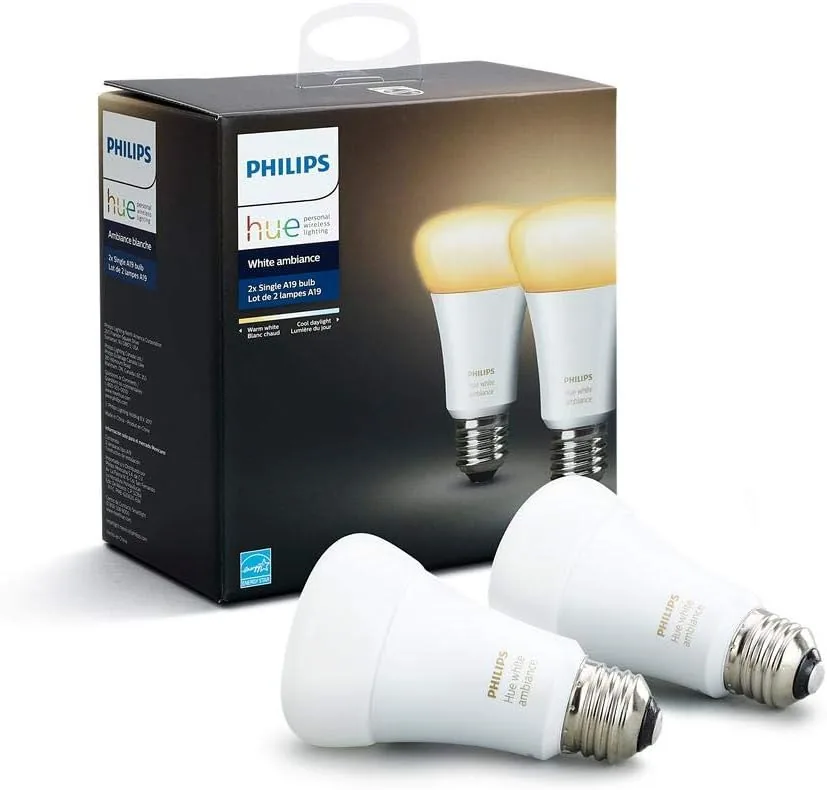
Philips Hue White Ambiance A19 (2-Pack)
Warm-to-cool white · Alexa, Google, HomeKit · Hub required
View on Amazon →Want the exact product recommendations for each room?
The Lighting Efficiency Recovery Kit includes tested motion sensor switches, motion-activated LED bulbs, and dusk-to-dawn outdoor fixtures.
Room-by-Room Comparison
| Room | Winner | Why |
|---|---|---|
| Hallway | Motion sensor switch | Simple, no app, works for everyone who walks through |
| Bathroom | Motion sensor switch | Humidity tolerant, no phone needed, instant on/off |
| Closet | Motion sensor switch | Cheapest solution, no features needed |
| Kitchen | Smart bulbs | Dimming for cooking ambiance, scheduling for morning coffee |
| Living room | Smart bulbs | Scenes, dimming, voice control, entertainment sync |
| Bedroom | Smart bulbs | Sunrise simulation, gradual dimming, no motion sensor waking you |
| Garage | Motion sensor switch | No Wi-Fi coverage needed, robust for temperature swings |
| Outdoor security | Dusk-to-dawn sensors | Built into fixture, no app needed, reliable for decades |
Which Wins? The Decision Matrix
Choose motion sensor switches if: You want low cost, zero maintenance, no apps, and you are automating utility rooms (hallway, bathroom, closet, garage). Total cost for 4 rooms: $60-$100. Total annual savings: $40-$80. Payback: 12-18 months.
Choose smart bulbs if: You want dimming, scheduling, voice control, color temperature, and you are lighting living spaces (living room, bedroom, kitchen). Total cost for 3 rooms: $50-$100. Total annual savings: $15-$45. Payback: 24-36 months.
Best of both worlds: Motion sensor switches in hallways/bathrooms/closets/garage ($60-$100), smart bulbs in living room/bedroom/kitchen ($50-$100). Total: $110-$200. Total annual savings: $55-$125. Payback: 18-24 months.
Frequently Asked Questions
Are motion sensor light switches worth it?
Yes. A $15-$25 motion sensor switch saves $10-$20 per year in a room where lights are frequently left on. Payback is 12-18 months. They last 10-15 years and require no apps, Wi-Fi, or ongoing cost.
Do smart bulbs save more money than motion sensor switches?
Not necessarily. Smart bulbs save more when you use scheduling and dimming features. For basic auto-on/off, motion sensor switches are cheaper and simpler. The real savings come from choosing the right technology for each room.
How long do motion sensor light switches last?
Quality motion sensor switches last 10-15 years. The PIR sensor has no moving parts. The relay that switches the circuit typically lasts 100,000+ cycles — equivalent to 10+ years in a residential setting.
Which saves more money: motion sensor switches or smart bulbs?
Motion sensor switches save more because they eliminate lights being left on entirely. Smart bulbs save when you remember to turn them off via app/schedule. Motion sensors work automatically, saving 30-60% on lighting costs vs 15-25% for smart bulbs.
Are smart bulbs worth it?
Smart bulbs are worth it for ambiance, color control, and scheduling. But for pure energy savings, a $20 motion sensor switch pays back faster than a $15 smart bulb because it doesn't rely on user behavior.
Can I use both motion sensors and smart bulbs together?
Yes, but they can conflict. A motion switch controlling a smart bulb that needs constant power to stay connected may cause flickering. Smart switches are better partners for smart bulbs than motion sensor switches.
Where should I install motion sensor switches?
Best locations: bathrooms, hallways, laundry rooms, closets, garages, and basements — anywhere lights are frequently left on when the room is empty. Avoid living rooms and bedrooms where long-duration occupancy is normal.
Do motion sensor switches work with LED bulbs?
Yes, but check compatibility. Some early-generation motion sensor switches were designed for incandescent bulbs and do not provide enough minimum load for LEDs, causing flickering. Modern switches like the Lutron Maestro MS-OPS2 are explicitly rated for LED, CFL, and incandescent bulbs.
Related Guides
Affiliate Disclosure: EcoHome Intelligence participates in the Amazon Associates Program. Where our savings figures come from — estimates on this page are built on published ENERGY STAR, DOE and EIA figures, and your result will vary. Learn more.
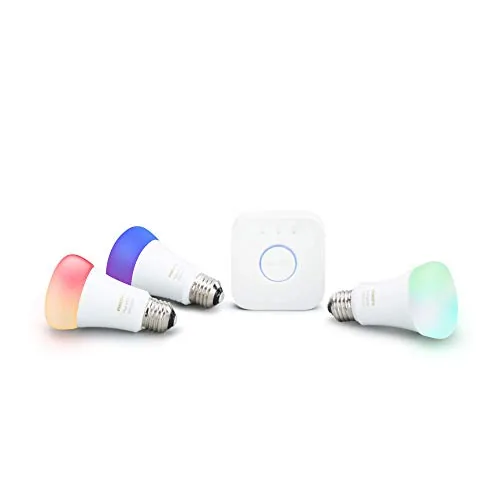
Philips Hue White & Color Starter Kit
Smart LED bulb with app and voice control for energy-efficient lighting
View on Amazon