Vampire Power · Updated May 2026 · 15 min read · EcoHome Intelligence
What Is Vampire Power? How to Stop Phantom Loads and Cut Your Electric Bill
Your TV, game console, microwave, and phone charger are all drawing electricity right now — while you sleep, while you are at work, while they are "off." This is vampire power, and it costs the average home $80-$150 per year. Here is how to identify the worst offenders and stop the drain.
In This Guide
What Is Vampire Power?
Vampire power — also called phantom load, standby power, or idle current — is the electricity devices consume when they are turned off but still plugged in.
If that sounds impossible, think about your TV. When you press the power button on the remote, the screen goes black. But the TV is not actually off. It is in standby mode — waiting for the remote signal, keeping the clock running, maintaining the network connection for software updates. It is drawing 1–5 watts continuously, 24 hours a day.
Now multiply that by every device in your home:
- Your microwave keeps its clock running: 3–5 watts
- Your game console waits for remote wake: 10–15 watts
- Your cable box records shows and updates the guide: 15–45 watts
- Your desktop computer charges peripherals via USB: 5–15 watts
- Your phone charger left in the wall: 0.3–1 watt
Individually, these are tiny numbers. Collectively, they add up to a $100+ annual tax on your electricity bill that you can eliminate in one weekend.
Want the exact products we recommend to stop vampire power?
The Phantom Load Recovery Kit includes smart power strips, outlet timers, and metered outlets — all tested for ease of use and payback time.
What It Costs You (Room by Room)
The Lawrence Berkeley National Laboratory has been studying phantom loads since 1996. Their most recent data shows that 5–10% of residential electricity consumption is standby power. At 12 cents per kilowatt-hour, this is what that looks like for a typical home:
Living Room
- 55-inch LED smart TV (3W standby): $32/year
- Cable/satellite box (25W average): $26/year
- Soundbar (2W): $21/year
- Game console (Xbox Series X, 13W): $14/year
- DVD/Blu-ray player (2W): $2/year
Living room total: $65–$95/year (assuming the entertainment center is always plugged in)
Kitchen
- Microwave with clock (3.5W): $37/year
- Coffee maker with clock (2W): $21/year
- Toaster oven (1.5W): $16/year
- Dishwasher (4W display): $42/year
Kitchen total: $55–$70/year
Home Office
- Desktop computer (sleep mode, 5W): $53/year
- Monitor (1W): $11/year
- Printer (3W): $32/year
- External hard drive (6W): $63/year
- Laptop charger left in wall (1W): $11/year
Home office total: $55–$90/year
Bedroom
- Window AC unit (off-season, 2W): $21/year
- Phone chargers left in wall (0.5W × 2): $11/year
- Electric blanket plug (1W): $11/year
Bedroom total: $20–$35/year
Grand total for an average home: $195–$290/year. More conservative estimates (assuming some devices are already on smart strips) put the number at $80–$150/year.
Top 10 Vampire Power Devices in Your Home
1. Cable/Satellite Box
Drain: 15–45W | Cost: $16–$47/year
These update the channel guide in the background, record scheduled shows, and maintain network connections. A TiVo or DirecTV box can be the single biggest phantom load in your home.
2. Game Consoles (Xbox Series X/S, PS5)
Drain: 10–15W | Cost: $11–$16/year
"Instant-on" mode keeps the console ready for remote wake, background downloads, and voice commands. The Xbox Series X draws 13W in instant-on mode — more than many LED bulbs.
3. Desktop Computer + Monitor
Drain: 5–15W | Cost: $5–$16/year
Sleep mode keeps RAM powered, network interfaces active, and USB charging enabled. A monitor in standby still draws 1–3W for the power LED and control circuits.
4. Microwave with Clock
Drain: 3–5W | Cost: $3–$5/year
The digital clock alone is responsible for 90% of the phantom load. A kitchen with three clock appliances (microwave, oven, coffee maker) can lose $15/year just to clocks.
5. Smart TV
Drain: 1–5W | Cost: $1–$5/year Modern smart TVs maintain Wi-Fi connections for voice assistants, content updates, and remote app control. OLED TVs draw slightly more in standby due to pixel maintenance cycles.
6. Printer (Inkjet/Laser)
Drain: 2–8W | Cost: $2–$9/year
Printers stay warm in standby to reduce warm-up time for the next print job. Laser printers with built-in fax modems draw more because the modem stays active.
7. Soundbar
Drain: 1–2W | Cost: $1–$2/year
HDMI-CEC (Consumer Electronics Control) keeps soundbars connected for automatic power-on when the TV starts. Small individually, but always paired with the TV.
8. Phone/Laptop Chargers Left Plugged In
Drain: 0.3–1W each | Cost: $0.30–$1/year
The cheapest energy criminals — but also the easiest to fix. Unplug when not in use or use a smart outlet.
9. Garage Door Opener
Drain: 3–5W | Cost: $3–$5/year
The receiver stays active 24/7 listening for the remote signal. Smart garage door openers (MyQ, Chamberlain) draw slightly more due to Wi-Fi.
10. External Hard Drive / NAS
Drain: 6–20W | Cost: $6–$18/year
Network-attached storage (NAS) devices run continuously for remote access. A 4-bay NAS with four drives can draw 40W+ — $42/year even when idle.
Electric Bill High When Nothing Is Running?
If your bill stays high while you are away, or when everything in the house looks “off”, the cause is your home’s always-on baseline: the power drawn around the clock by things that never fully switch off. Standby electronics are part of it (roughly 5–10% of household electricity, per Lawrence Berkeley National Laboratory research), but a baseline far above that usually points to something bigger than chargers and TVs.
Find your baseline in one night
- Open your utility’s hourly usage view (most smart-meter utilities show it online), or read the meter before bed and again in the morning.
- Look at the hours between about 2 a.m. and 5 a.m., when almost nothing should be running. That average is your baseline.
- Multiply the baseline in kW by 720 (hours in a month) and by your rate per kWh. That is what “nothing running” costs you each month.
Always-on loads people miss
- Cable and satellite boxes and DVRs — often the single biggest standby draw.
- Routers, modems, mesh nodes, security cameras and smart speakers.
- Garage-door openers, video doorbells and irrigation controllers.
- Dehumidifiers, sump or well pumps and pipe heat tape that switch on by themselves.
- An old second fridge or freezer in the garage or basement.
- An electric water heater holding a full tank at a high temperature setting.
To see which circuit carries the load, switch breakers off one at a time for a minute (skip the fridge and freezer) while you watch the meter or your utility’s live data, or use a whole-home energy monitor. Our 4-minute phantom load audit walks through the no-equipment version.
How to Measure Your Own Phantom Load
A plug-in meter finds one device at a time. If you would rather see every circuit at once, compare the panel-mounted options in our Refoss vs Emporia Vue vs Sense guide — Sense in particular is built for identifying loads you cannot otherwise find.
You don't have to guess. A kill-a-watt meter ($20–$30) measures exactly what each device draws in standby. Here is the process:
- Plug the kill-a-watt into the wall outlet.
- Plug the device into the kill-a-watt. Let it run in normal use for at least 1 hour to get an average reading.
- Turn the device "off" with its power button. Wait 2 minutes. Read the wattage display.
- Multiply watts × 8,760 (hours/year) ÷ 1,000 = kWh/year. Multiply by your rate (e.g., $0.12/kWh) for annual cost.
Example: Your cable box reads 25W in standby.
25W × 8,760h = 219,000 Wh = 219 kWh/year × $0.12 = $26.28/year
Pro Tip: Use Your Utility Bill
If you do not want to measure every device, check your nighttime usage. Turn off or unplug all non-essential devices for one night. Compare that night's usage (from your smart meter or hourly utility data) to a normal night. The difference is your phantom load.
Ready to eliminate phantom loads?
The Phantom Load Recovery Kit includes a kill-a-watt meter, smart power strips, and programmable outlet timers. Most users recover the kit cost in 2-4 months.
3 Ways to Kill Vampire Power
1. Smart Power Strips (Best for Entertainment Centers and Offices)
Smart power strips — specifically advanced power strips with master/slave outlets — cut phantom load to near zero without you touching a switch.
How they work: The "master" outlet senses the main device's power draw (e.g., the TV). When the TV turns off, the strip automatically cuts power to the "slave" outlets (soundbar, game console, streaming stick). The "always-on" outlets keep power for devices that need it (router, DVR).
Top pick: Kasa Smart Power Strip (KP303) — 3 smart outlets + 2 USB ports, Wi-Fi app control, schedule timers, and surge protection. $25–$35. Typical payback: 3-4 months.
Runner-up: TrickleStar TS1104 — True master/slave sensing (no app needed, fully automatic), 7 outlets, 4.8-star average. $35–$40. Best for users who want zero-interaction automation.
2. Programmable Outlet Timers (Best for Kitchen Appliances)
For devices you use at predictable times — coffee maker, microwave clock, electric blanket — a programmable timer is simpler and cheaper than a smart strip.
Set the timer to cut power overnight (11 PM to 6 AM) and during work hours (8 AM to 5 PM). You save 16 hours of phantom load per day without losing functionality when you actually need it.
Top pick: BN-LINK 7-Day Digital Timer — 2 outlets, programmable by minute, 15A rating, reliable mechanical relay. $12–$15.
3. Smart Plugs for Individual Devices
For single high-draw devices — garage door opener, external hard drive, window AC unit — a smart plug gives you app control and scheduling without replacing the device's own wiring.
Top pick: Amazon Smart Plug — Wi-Fi, Alexa scheduling, energy monitoring, no hub required. $15–$20.
The Simplest Fix: Unplug What You Don't Use
For chargers, small appliances, and seasonal devices (window ACs, space heaters, fans), the zero-cost solution is a power strip within arm's reach. Switch it off when you go to bed or leave the house.
Related Guides
Affiliate Disclosure: EcoHome Intelligence participates in the Amazon Associates Program. Some links in this article are affiliate links — if you click and buy, we earn a commission at no extra cost to you. We only recommend products we have researched against published specifications, manufacturer documentation and owner reports. How we choose products.
Tools to Measure and Cut Standby Power
Measure first, then automate. A plug-in meter shows what one device draws on standby; a smart plug or strip switches it off on a schedule.
We may earn a commission if you buy through these links, at no extra cost to you. Products are chosen on published specifications; we do not test them in-house (how we choose).
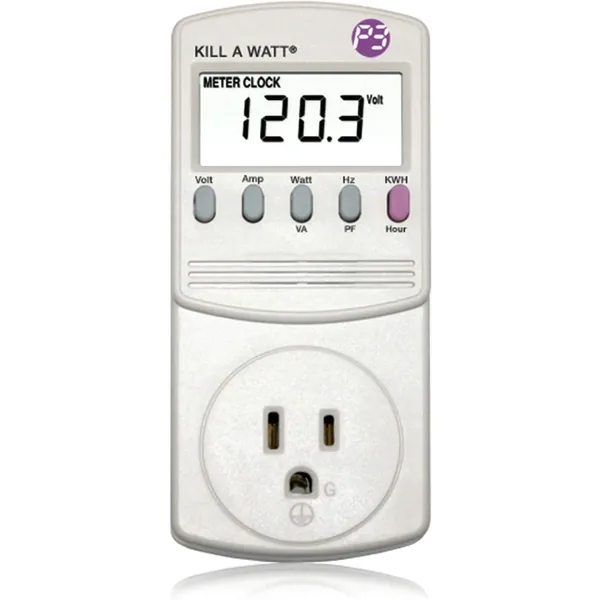
P3 Kill A Watt P4400 Electricity Usage Monitor
Plug-in meter that shows the watts and kWh of whatever is plugged into it.
View on Amazon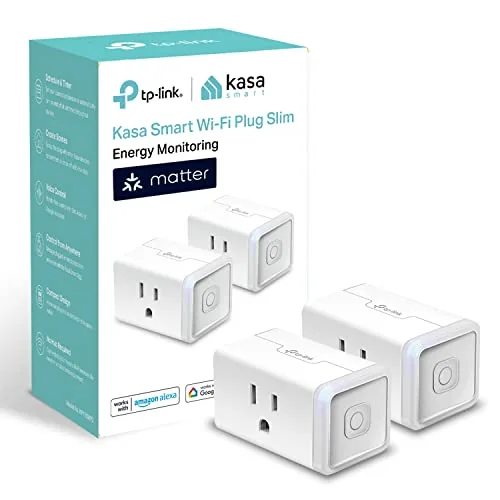
Kasa KP125M Energy-Monitoring Smart Plug
Reports a device’s power use in the app and switches it off on a schedule; Matter compatible.
View on Amazon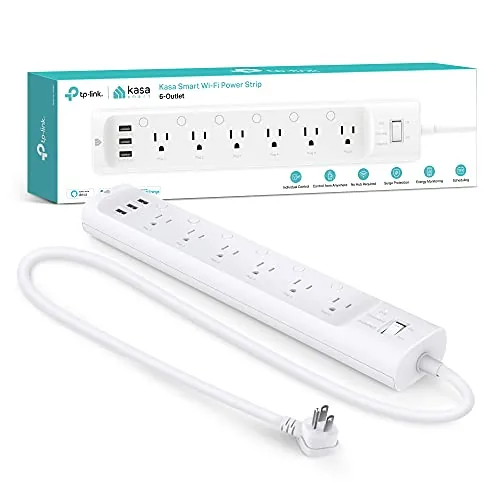
Kasa HS300 Smart Power Strip
Six individually controlled outlets with per-outlet energy monitoring, for a TV or desk setup.
View on AmazonFrequently Asked Questions
Why is my electric bill high when nothing is running?
Because some things never switch off. Standby electronics (cable boxes, game consoles, routers, chargers) typically use 5-10% of household electricity, and pumps, dehumidifiers, heat tape, second fridges and electric water heaters can add much more. Check your utility's hourly data between 2 and 5 a.m. to see your always-on baseline, then switch breakers off one at a time to find which circuit carries it.
How much does vampire power cost per year?
The average U.S. home loses $80-$150 per year to vampire power. Homes with multiple game consoles, large entertainment centers, and many plugged-in devices can lose $200-$300 per year. The Lawrence Berkeley National Laboratory estimates phantom loads account for 5-10% of residential electricity use.
Which devices use the most vampire power?
Game consoles (Xbox Series X: 13W standby), cable/satellite boxes (15-45W), desktop computers with monitors (5-15W), microwaves with clocks (3-5W), smart TVs (1-5W), and phone/laptop chargers left plugged in (0.3-1W each) are the biggest culprits. A single entertainment center with TV, console, soundbar, and cable box can drain 30-60W continuously — $70-$150/year.
Do smart power strips actually save money?
Yes. A good smart power strip pays for itself in 3-6 months by cutting phantom loads to near zero. A strip such as the TP-Link Kasa KP303 typically saves $60-$120 per year when used on an entertainment center or home office setup.
Should I unplug everything at night?
You do not need to unplug everything. Focus on the high-drain categories: entertainment centers (TV + console + soundbar + cable box), computer setups (desktop + monitor + printer + speakers), and kitchen counter appliances (microwave, coffee maker with clock). A smart power strip or timer handles the unplugging automatically, so you do not have to crawl behind furniture.
