EcoGuide · Energy Monitoring · Updated 2026-10-21 · 2,000 words
Best Home Energy Monitors in 2026 (Whole-House and Circuit-Level)
Our picks at a glance
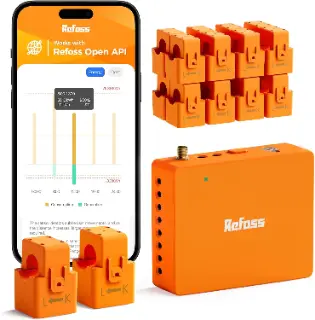
Best for Home Assistant and Privacy
Refoss Smart Home Energy Monitor (16 circuit sensors)
Check priceWhy we picked itPrices on Amazon change often. As an Amazon Associate we earn from qualifying purchases, at no extra cost to you.
The Short Answer
| Pick | Best for | What it measures | Works without the cloud? |
|---|---|---|---|
| Emporia Vue 3 Check price › | Most homes | Mains plus up to 16 individual circuits, 1-second data | No (cloud only, per Emporia) |
| Refoss (EM16P) Check price › | Home Assistant and privacy | Mains plus up to 16 circuits (up to 18 total) | Yes (local API, MQTT, native Home Assistant) |
| Eyedro Home Check price › | Whole-home total only | Mains only (two 200A sensors), 1-second resolution | Partly (local web server) |
| Plug-in meter | One appliance at a time | Whatever is plugged into it | Yes |
Product links go to Amazon; we may earn a commission at no extra cost to you.
Sense and Curb are gone. Sense says it stopped selling in-panel monitors on December 31, 2025 (support continues for owners), and Curb’s website no longer offers a way to buy one. Both Amazon listings now show as unavailable, so they are not on this list.
How we chose: manufacturer specifications, manuals and support pages, linked below. We do not test products in-house, and no manufacturer publishes independent accuracy tests, so we do not rank on accuracy. Prices move often, so check the current price on each listing.
First: Do You Need a Panel Monitor at All?
A panel monitor clamps sensors around the cables inside your electrical panel and sees everything, including hard-wired loads like the heat pump, water heater, oven and EV charger — usually where most of the money goes. It needs work inside a live panel.
A plug-in meter or energy-monitoring smart plug sees only what is plugged into it. If your question is “what does my TV setup draw on standby?”, that is all you need, for a fraction of the price. See the best energy-monitoring smart plugs.
1. Emporia Vue 3: Best for Most Homes
- Coverage: up to 3 × 200A mains and up to 16 × 50A branch-circuit sensors, with 1-second data. Solar and net metering are supported.
- Connection: 2.4 GHz Wi-Fi or Ethernet.
- Safety listing: Emporia lists UL 61010 and UL 2808 certification.
- Cost of ownership: Emporia states no subscription. It is sold as mains only, with 8 circuit sensors, or with 16; check which kit a listing includes.
- The catch: Emporia says local device access is not available on any Vue; all data goes through its cloud, and Home Assistant is not officially supported.
We may earn a commission if you buy through these links, at no extra cost to you. Products are chosen on published specifications; we do not test them in-house (how we choose).
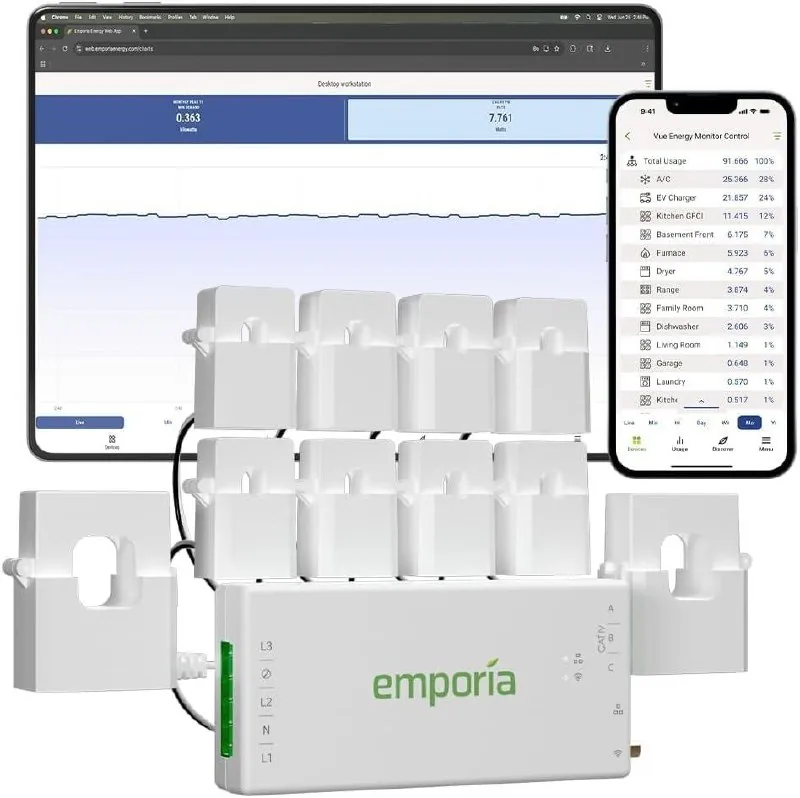
Emporia Vue 3 Energy Monitor
Mains plus up to 16 circuits, 1-second data, no subscription. Check which sensor kit the listing includes.
Check price on Amazon2. Refoss (EM16P): Best for Home Assistant and Privacy
- Coverage: up to 18 circuits; the Amazon listing below includes 16 branch-circuit sensors rated 60A.
- Local control: Refoss says it natively supports Home Assistant with no flashing and can operate offline, without cloud services, an app or registration, with local web access, an open API and MQTT.
- Safety listing: ETL certified to the UL 61010 standard.
- Solar: supports solar PV monitoring. Refoss quotes ±2% accuracy (a manufacturer figure).
- The catch: a smaller company than Emporia, with less documentation.
We may earn a commission if you buy through these links, at no extra cost to you. Products are chosen on published specifications; we do not test them in-house (how we choose).
Refoss Smart Home Energy Monitor (16 circuit sensors)
Local control with native Home Assistant, open API and MQTT; solar monitoring.
Check price on AmazonWe compare these two in detail in Emporia Vue 3 vs Refoss.
3. Eyedro Home Energy Monitor: Best for Whole-Home Totals
- Coverage: two directional 200A sensors on the mains, so you see whole-home use and solar export, not individual circuits.
- Data: 1-second measurement resolution; data uploads every 30 seconds (every second while you are logged in).
- Cost of ownership: the MyEyedro cloud tools are free; advanced features need a paid Pro licence.
- Safety listing: UL 2808 and UL 61010-1. Eyedro recommends installation by a licensed electrician.
We may earn a commission if you buy through these links, at no extra cost to you. Products are chosen on published specifications; we do not test them in-house (how we choose).
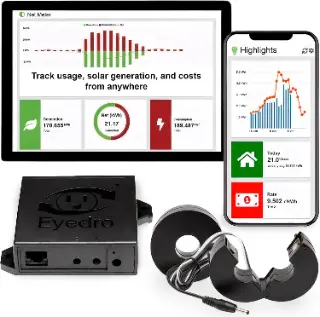
Eyedro Smart Home Energy Monitor
Two 200A mains sensors, Wi-Fi or Ethernet, free web dashboard.
Check price on AmazonFor Single Appliances: A Plug-In Meter
No panel work and no app required. Plug the appliance into the meter and read its watts and cumulative kWh. It is the fastest way to find which devices draw power all night.
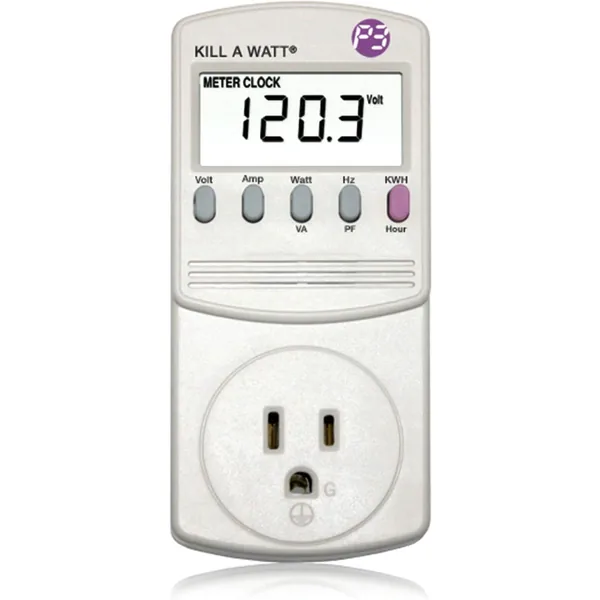
P3 Kill A Watt P4400 Electricity Usage Monitor
Plug-in meter that shows watts and kWh for one device.
Check price on Amazon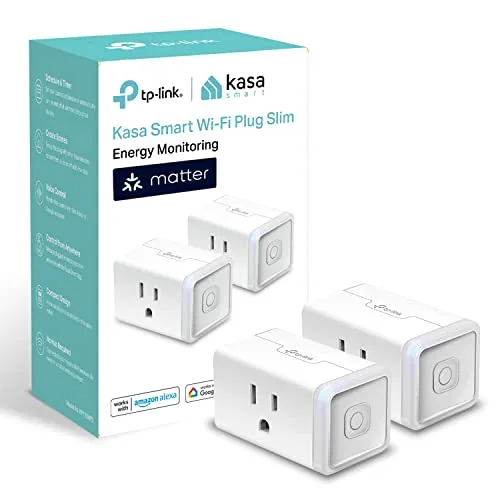
Kasa KP125M Energy-Monitoring Smart Plug
Tracks a device’s use in the app and switches it off on a schedule.
Check price on AmazonInstallation: Budget for an Electrician
All three panel monitors install inside your service panel, where the incoming cables stay live even with the main breaker off. Emporia says an electrician is not required in most cases but that some jurisdictions require a licensed electrician for any work inside a panel; Eyedro recommends one outright. If you have not worked in a panel before, have it done.
HomeAdvisor puts licensed electricians at $50 to $130 per hour, with many charging a minimum for the first hour; a monitor install is usually a short job.
Before buying, check your panel has room for the sensors and a spare breaker space or outlet for the monitor’s power, and match clamp ratings to the circuits you want to monitor (an EV charger or heat pump circuit may exceed a 50A clamp).
Do Energy Monitors Actually Save Money?
Only if you act on what they show. The best-known review of feedback programs, by the American Council for an Energy-Efficient Economy, found they have reduced individual household electricity consumption 4 to 12% across its sample, with real-time and appliance-level feedback at the top of that range.
A large UK government evaluation of smart meters with in-home displays found something more modest: average reductions of 2.2% in electricity use. The honest expectation is a few percent from awareness alone, more if you use the data to find and fix a specific problem: an old freezer, a pool pump on the wrong schedule, a water heater element stuck on. Our bill-doubled guide shows how.
Monitor or Smart Panel?
A smart electrical panel replaces your breaker panel and can switch circuits on and off as well as measure them. SPAN’s panel offers real-time on/off control over every circuit (16 to 48 controllable circuits) and starts at $2,550 before installation. Qmerit says smart panel hardware typically ranges from $2,000 to $5,000, and installed projects often fall between $4,000 and $10,000.
That makes sense when you need the panel anyway (a service upgrade, battery backup or EV charging that would otherwise overload it). For seeing where the energy goes, a monitor does the job for a fraction of the cost; Utility Dive’s analysis puts retrofit circuit-level monitoring under $200.
For Tinkerers: Shelly and IotaWatt
- Shelly Pro 3EM ($154.99 list from Shelly US, often on sale): a DIN-mountable 3-Phase Energy Meter that ships with three 120A current transformers. Home Assistant talks to Shelly devices locally: the integration says cloud connection is not needed. It measures mains or a few large circuits, not 16.
- Shelly EM Gen3: a two-channel meter that comes with a 50 A clamp included (the second clamp is extra). Good for one or two circuits such as a heat pump and an EV charger.
- IotaWatt: open-source, fully local, with 15 input channels (14 for circuits). The original maker has stopped selling it; per its shop, CircuitIQ is now manufacturing the latest V6.4 IoTaWatt and ships to the US.
- All of these mount in or next to the panel, so the electrician advice below applies.
Emporia Vue Alternatives
- You want local control or Home Assistant: the Refoss EM16P. It covers up to 18 circuits like the Vue but can run offline with an open API, MQTT and native Home Assistant support, which Emporia says the Vue does not offer.
- You only need the whole-home total and solar export: Eyedro, with two 200A mains sensors and a free web dashboard.
- You want to build it yourself: a Shelly Pro 3EM for the mains (local Home Assistant control) or an IotaWatt for 14 circuits, fully local.
- You are replacing a Sense or Curb: both have stopped selling in-panel monitors; our Emporia Vue 3 vs Refoss vs Sense comparison covers the switch.
Renting? Start With Free Data
If you can’t open the panel, your utility may already have the data. Many offer Green Button “Download My Data”, so that the utility customer can download their own energy consumption data. Hourly smart-meter data shows your baseline overnight use and big spikes. Pair it with a plug-in meter to pin down individual devices.
Already Own a Sense or Curb?
Keep using it. Sense says support continues as usual for existing owners and that it charges no subscription to use the app. Curb still has a support page. If either stops working, the Emporia Vue 3 is the closest replacement for circuit-level data.
Free: Home Energy Audit Checklist (PDF)
A two-page, room-by-room checklist for finding air leaks, standby power and heating and cooling waste yourself, in the order that pays back fastest. Get it now, plus new fix guides by email. Unsubscribe any time.
By signing up you agree to receive emails from EcoHome Intelligence. See our Privacy Policy.
Frequently Asked Questions
What is the best home energy monitor in 2026?
For most homes, the Emporia Vue 3: it monitors the mains and up to 16 circuits with 1-second data and no subscription. If you want local control or Home Assistant, choose Refoss. If you only need the whole-home total, Eyedro.
Is Sense still sold?
No. Sense says it stopped selling in-panel home monitors on December 31, 2025, although support continues for existing owners.
Do home energy monitors need a subscription?
Emporia states there is no subscription. Eyedro’s basic cloud tools are free, with a paid Pro licence for advanced features. Refoss can run entirely locally.
Can I install a home energy monitor myself?
It involves working inside a live electrical panel. Some jurisdictions require a licensed electrician for any panel work, and Eyedro recommends one. If you have not done panel work before, hire an electrician.
Do home energy monitors save money?
Feedback programs have cut household electricity use by 4 to 12% in studies reviewed by ACEEE, but a large UK evaluation of in-home displays found 2.2%. Savings come from acting on what the monitor shows.
Should I get a smart panel instead of a monitor?
Only if you need panel work anyway. Smart panel hardware typically costs $2,000 to $5,000 before installation; a circuit-level monitor costs a few hundred dollars and shows the same usage data.
What is the best Emporia Vue alternative?
The Refoss EM16P if you want local control and Home Assistant, Eyedro if you only need whole-home and solar totals, and a Shelly Pro 3EM or IotaWatt if you want a fully local DIY setup.
Which energy monitor works with Home Assistant?
Refoss says its EM16P supports Home Assistant natively with no flashing. Emporia says Home Assistant is not officially supported and its monitors are cloud-only.
Related Guides
- Black Friday 2026 energy-saving deals — prices to beat on monitors, plugs and heaters
- Emporia Vue 3 vs Refoss (vs Sense) — the head-to-head
- Best energy-monitoring smart plugs — for single devices
- What is vampire power? — finding standby loads
Sources
- Emporia: energy monitors
- Emporia Vue 3 technical specifications (PDF)
- Emporia Help: subscription and local access
- Emporia Help: installation
- Refoss: EM16P
- Shelly: Pro 3EM
- Shelly: EM Gen3
- Home Assistant: Shelly integration
- IotaWatt shop
- IotaWatt documentation: installation
- Eyedro: Home Energy Monitor
- Eyedro: support FAQ
- Sense Help: in-panel monitor sales ending
- Curb
- ACEEE: Advanced metering and residential feedback (2010)
- UK BEIS: Smart meter in-home display impacts (2019, PDF)
- SPAN: Smart panel
- Qmerit: Smart panel cost
- Utility Dive: Smart panels
- U.S. Department of Energy: Green Button
- HomeAdvisor: Electrician cost
