EcoGuide · Hvac Recovery · Published 2026-09-04 · Last Updated 2026-09-04 · 760 words
Honeywell Thermostat Stuck on "Wait": What It Means and How to Fix It
The Problem
If the wait clears and still nothing starts: thermostat clicks but nothing happens.
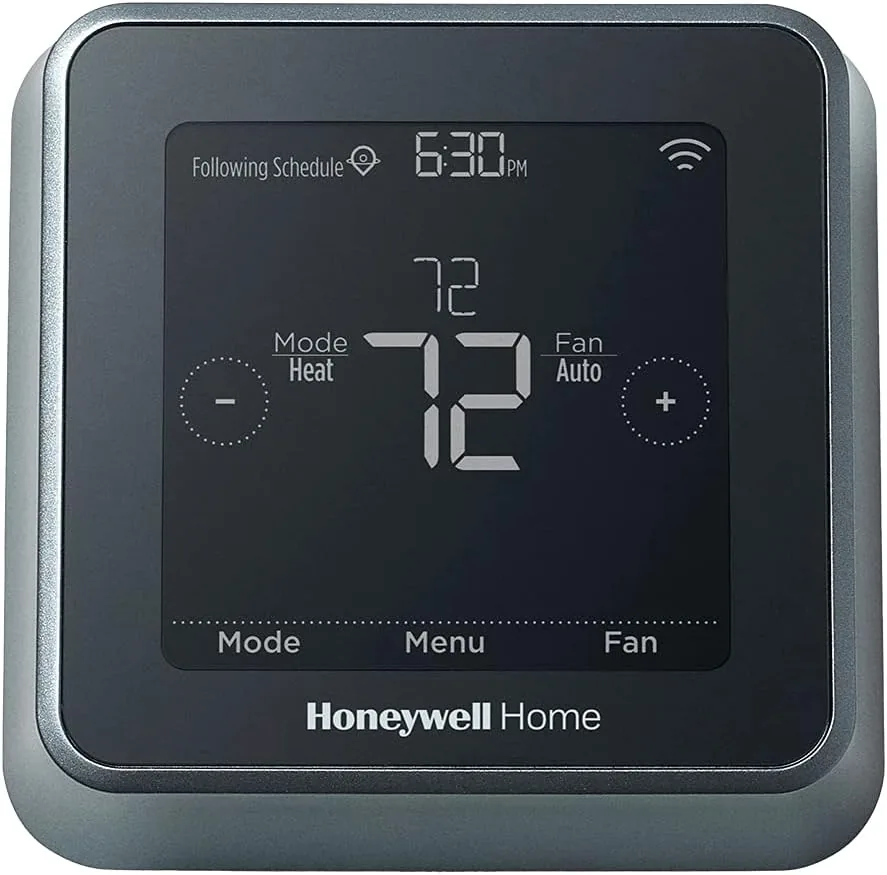
Honeywell smart thermostats (T5, T9, and RTH-series models) show a “Wait” screen or icon that blocks heating or cooling from starting, often right after a power blip, a filter-change reminder dismissal, or a schedule change. It reads like a fault, but on Honeywell it is compressor short-cycle protection almost every time.
Why It Costs You Money
A “Wait” screen during a heat wave means no cooling for the few minutes it should take. But when it will not clear, homeowners often assume the unit is defective, pay for a service call, or leave the system in a bad state trying to force it, which can trip equipment protection again.
The Solution Path
- Know the normal window — Honeywell’s short-cycle protection typically holds for about 5 minutes after any compressor stop. “Wait” during that window is the thermostat doing its job, not a malfunction.
- Isolate thermostat vs. equipment — Swap the old thermostat back in for one cycle. If it starts heating or cooling normally, the wiring and HVAC equipment are fine.
- Check for repeated power loss — T5/T9 models are power-stealing capable without a C-wire in many installs, but on systems with low available current, brief brownouts during compressor start can make the thermostat re-trigger “Wait” over and over. The app’s Equipment status screen will show repeated restarts.
- Confirm system type in setup — A Wait loop that never clears, combined with the wrong system type (a heat pump set as conventional, for example), can make the thermostat’s safety logic behave unpredictably. Recheck system type in Settings > Installation Settings.
Honeywell "Wait": What Each Symptom Means
| Symptom | Most likely cause | What to do first |
|---|---|---|
| "Wait" clears within about 5 minutes | Normal short-cycle protection | No action needed; let it finish once. |
| "Wait" returns every time you adjust the temp | Power instability or wrong system type | Check Equipment status for restarts; confirm system type. |
| Screen goes blank or thermostat reboots | Insufficient C-wire power | Verify C-wire or add a Honeywell C-wire adapter at the control board. |
| Old thermostat also fails to start system | Equipment or breaker issue, not the thermostat | Call HVAC. |
If your real question is whether you need a C-wire at all, see the companion guide: Does a smart thermostat need a C-wire?
The Reset and Re-Pair Sequence That Avoids Guesswork
- Let one "Wait" cycle finish before changing anything.
- Power down HVAC at the breaker before touching any wires.
- Reinstall the old thermostat and confirm heat, cool, and fan each run.
- If it works, restore the Honeywell thermostat and verify C-wire power or add an adapter at the equipment side.
- In the Honeywell app or on-device menu, confirm the correct system type, then do a soft reset (Settings > Reset).
- Run one mode at a time without repeated toggling until the protection window has passed.
Recommended Products
Budget: Amazon Smart Thermostat — ~$70, simple setup, works if you already have a C-wire.
Performance
Honeywell Home T5 Wi-Fi Smart Thermostat — ~$85, power-stealing capable so it skips a C-wire in many homes, reliable app, a solid first upgrade.
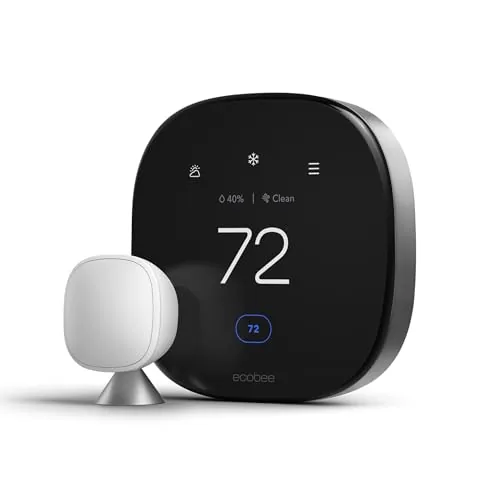
Eco-Premium: Ecobee Smart Thermostat Premium — ~$200, includes a room sensor and its own power-extender kit for tricky wiring.
Affiliate Disclosure
EcoHome Intelligence participates in the Amazon Associates program. We may earn a commission from qualifying purchases at no extra cost to you.
Frequently Asked Questions
Q: What does "Wait" mean on a Honeywell thermostat?
A: It means short-cycle protection is active, usually clearing in about 5 minutes to protect the compressor.
Q: Why does my Honeywell thermostat keep showing "Wait" after every schedule change?
A: Frequent repeats usually point to unstable power or the wrong system type rather than the normal protection window, which should only trigger occasionally.
Q: Does the Honeywell T5 need a C-wire?
A: Not always — it can power-steal on many systems, but multi-stage or heat-pump setups often need a true C-wire or adapter for stability.
Q: When should I call HVAC instead of troubleshooting further?
A: If the old thermostat also fails to start the system, a breaker trips, or the outdoor unit will not run at all.
Your 5-Minute Wait-Screen Checklist
- Let the normal short-cycle delay finish once before resetting anything.
- Confirm the old thermostat still runs the system normally.
- Check the app’s Equipment status screen for repeat restarts.
- Confirm the system type in Installation Settings matches your actual HVAC equipment.
If the old thermostat works and the Honeywell does not, stop toggling modes. Compare wiring labels and system-type settings carefully instead.
When to Call an HVAC Tech
Call a pro if a fuse repeatedly blows, the control board loses power, or the outdoor unit will not start even with the old thermostat back in place.
For related bill spikes, continue into the heat-pump spike article and the AUX heat fix.
Mistakes That Create Repeat Callbacks
Skipping the rollback test, guessing at system type, and repeatedly forcing mode changes during the protection window are the most common reasons a simple Wait screen turns into a multi-day troubleshooting saga.
Slow, labeled troubleshooting beats fast guesswork every time.