EcoGuide · Smart Thermostats · Published 2026-11-21 · 1,200 words
ecobee Alerts Explained: Aux Heat Runtime, Low Temp, High Temp and What to Do
Check today’s prices
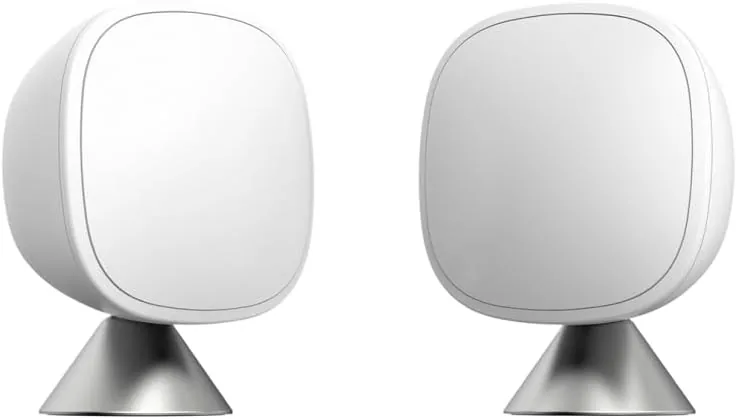
Prices on Amazon change often. As an Amazon Associate we earn from qualifying purchases, at no extra cost to you.
The Short Answer
ecobee uses two kinds of messages. Reminders are maintenance timers: service the system, change the furnace filter. Alerts, in ecobee’s words, “let you know if your heating and cooling equipment isn’t performing as it should”. Most alerts fire because a limit you can change was crossed, so the fix is often a setting, not a repair.
| Alert or reminder | What ecobee says it means | First thing to check |
|---|---|---|
| Aux Heat Runtime | The auxiliary heat ran for more than the set amount in a 24-hour period; 3 hours by default. | Heat pump and aux settings |
| Aux Outdoor Temp | Auxiliary heat was called for when the outdoor temperature was above this setpoint. | Heat pump and aux settings |
| Low Temp | The home is below this level; it is there to prevent damage from freezing. | Is the heat running? |
| High Temp | The home is above this level; it is there to prevent damage from excessive heat. | Is the cooling running? |
| Low or High Humidity | Indoor humidity crossed the percentage you set. | Humidity |
| Heating or cooling alerts | The system failed to heat or cool. | ecobee not heating or cooling |
| HVAC Maintenance reminder | Time to arrange a service of the heating and cooling equipment. | Book a service, then dismiss it |
| Furnace Filter reminder | Time to clean or replace the furnace filter. | Change the filter, then dismiss it |
| UV Lamp, humidifier, dehumidifier or ventilator filter | Time to clean or replace that part (only shown if your ecobee controls it). | Service that part |
Meanings are quoted or summarized from ecobee’s Reminders & Alerts article.
Where to Change or Turn Off Alerts
- On the thermostat: Main Menu → General → Reminders and Alerts → Preferences. On the Smart Thermostat Lite and Essential it is Main Menu → Reminders and Alerts → Preferences.
- In the ecobee app: open the thermostat, tap the menu, then Reminders and Alerts → Alert Preferences or Reminder Preferences.
Two switches matter if alerts are annoying you. Display Alerts on Thermostat set to No hides them on the screen, but ecobee says they still appear in the app and by email. Enable Heating/Cooling Alerts set to No stops the “failed to heat or cool” alerts altogether; we would leave that one on, since it is the alert that tells you the system has stopped working.
Aux Heat Runtime and Aux Outdoor Temp Alerts
These are heat pump alerts. Auxiliary heat (electric strips, or a furnace on a dual-fuel system) usually costs more to run than the heat pump, so ecobee warns you when it runs a lot (Aux Heat Runtime, 3 hours in 24 by default) or when it runs in weather the heat pump should handle alone (Aux Outdoor Temp).
- In a cold snap, a runtime alert can be normal. ecobee notes that by default, below 35°F your heat pump will not be requested, so aux heat carries the load. That default is a setting; ecobee says to check your heat pump’s manual or maker for the right value for your equipment.
- In mild weather it is worth acting on. Aux heat running when it is well above freezing is worth checking: either the heat pump is not keeping up or a threshold is set higher than your equipment needs. ecobee’s threshold settings and its guide to minimizing auxiliary heat cover the settings involved.
- If the heat pump itself is struggling, see heat pump runs constantly in cold weather and auxiliary heat won’t turn off.
Low Temp and High Temp Alerts
These are protection alarms: ecobee sends them when the house gets cold enough to risk freezing or hot enough to risk damage. Take a Low Temp alert seriously, especially when you are away.
- Check the thermostat is in Heat (or Auto) and the setpoint is above the alert level.
- Check whether the flame icon is lit: if it is not calling for heat, it is a setting; if it is calling and the house stays cold, it is the equipment. Our ecobee not heating or cooling guide walks through both.
- Check the furnace or heat pump breaker and, on a furnace, the power switch near it.
- If the house is still cooling down, call a heating technician.
A second, independent sensor is cheap insurance in a vacation home: a Wi-Fi thermometer that alerts your phone on its own, even if the thermostat or the heating has failed.
We may earn a commission if you buy through these links, at no extra cost to you. Products are chosen on published specifications; we do not test them in-house (how we choose).
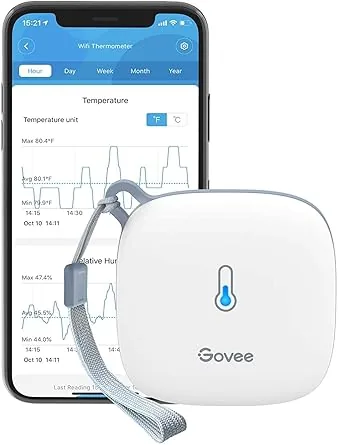
Govee WiFi Thermometer Hygrometer
Sends temperature and humidity alerts to your phone, independent of the thermostat.
Check price on AmazonLow and High Humidity Alerts
These trigger at the relative humidity you set. ecobee says that to control humidity, the thermostat needs a humidifier or dehumidifier accessory connected; without one, its AC Overcool Max feature can reduce humidity by running the air conditioning a little colder. For a damp basement, see the best basement dehumidifiers.
Reminders: Service and Filter
Reminders are timers, not faults. When one appears, do the job (change the filter, book the service) and dismiss it so the timer restarts. ecobee also emails service reminders to the address you registered with, if you have not unsubscribed from its emails.
Other ecobee Messages
- Calibrating or rebooting: see ecobee calibrating or rebooting.
- Black or blank screen: see ecobee screen black.
- Offline in the app: see ecobee keeps going offline.
- Sensor not responding: see ecobee sensor not working.
- Temperature changing on its own: see ecobee keeps changing temperature.
Free: Home Energy Audit Checklist (PDF)
A two-page, room-by-room checklist for finding air leaks, standby power and heating and cooling waste yourself, in the order that pays back fastest. Free to download, no sign-up needed.
Download the checklist (PDF)Frequently Asked Questions
What does the Aux Heat Runtime alert mean on an ecobee?
The auxiliary heat ran for more than the set amount in 24 hours; ecobee sets it to 3 hours by default. In very cold weather that can be normal; in mild weather, check your heat pump and threshold settings.
What does Aux Outdoor Temp alert mean on ecobee?
Auxiliary heat was called for while the outdoor temperature was above the setpoint you chose, which usually means the heat pump is not keeping up or a threshold needs adjusting.
What is the Low Temp alert on an ecobee?
A freeze-protection alarm: ecobee alerts you when the home falls below the level you set, to help prevent damage from freezing.
How do I turn off ecobee alerts?
On the thermostat go to Main Menu, General, Reminders and Alerts, Preferences; in the app, open the thermostat menu, then Reminders and Alerts. Setting Display Alerts on Thermostat to No hides them on the screen, but they still appear in the app and by email.
Why does ecobee say heat pump not requested below 35 degrees?
By default, ecobee does not call for the heat pump below 35°F and uses auxiliary heat instead. It is a setting; ecobee says to check your heat pump’s manual or maker for the right value.
Related Guides
- ecobee not heating or cooling — start with the flame icon
- Auxiliary heat won’t turn off — the expensive part of a heat pump bill
- Best thermostat for a heat pump — aux heat control compared
- Nest thermostat error codes — the Nest equivalent
- Smart thermostat troubleshooting — every fix guide by symptom